LMS
LMS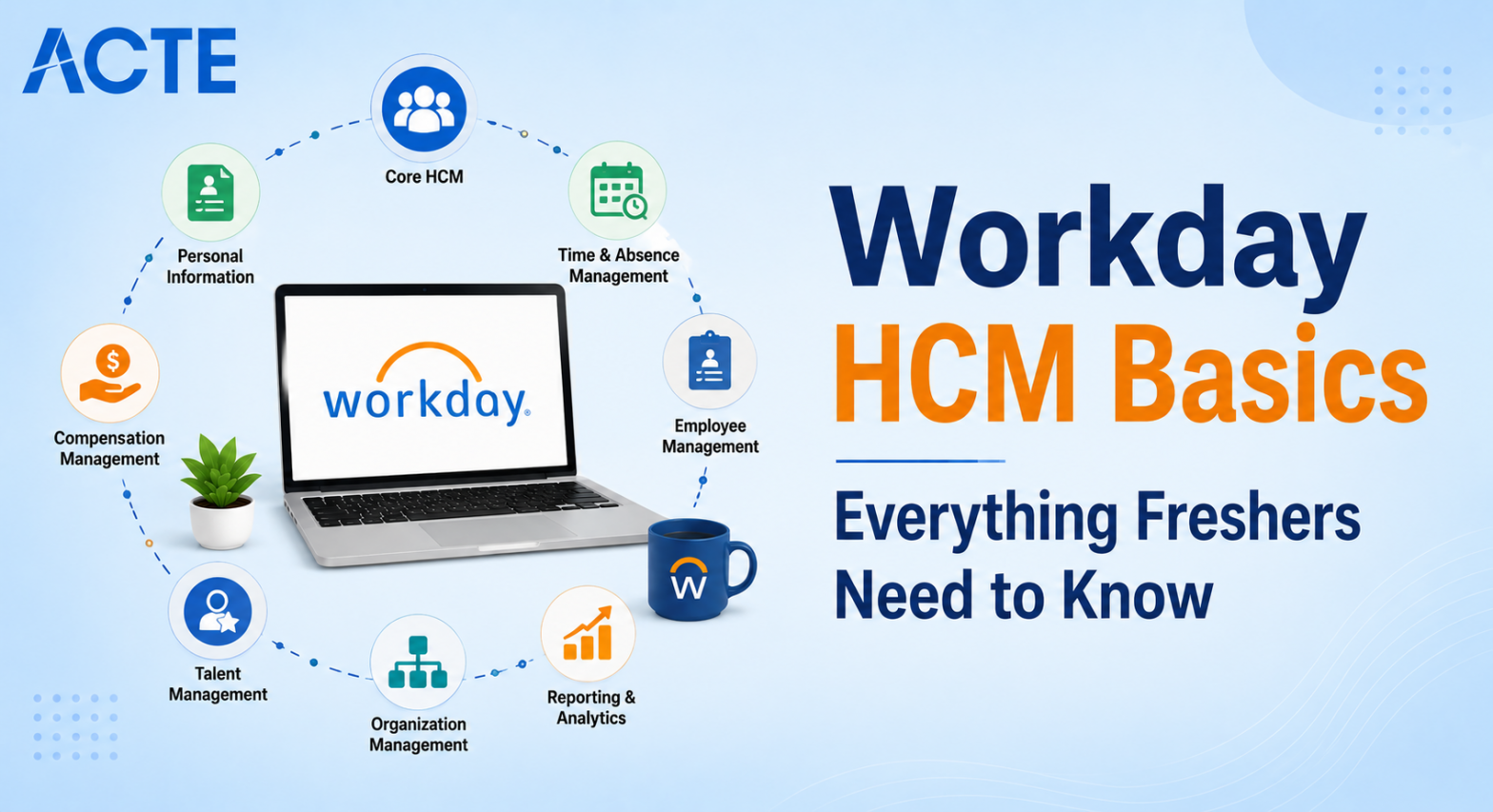
Last updated on 16th May 2026| 11155

- Workday HCM Basics Everything Freshers to Know
- The Unified Data Model Concept
- Navigating the Workday Interface
- Core HCM and Worker Profiles
- Business Processes and Workflows
- Security and Role-Based Access
- Reporting and Data Extraction
- Understanding Effective Dating
- Conclusion
Workday HCM Basics Everything Freshers to Know
Stepping into the enterprise software world for the first time usually means dealing with clunky, outdated systems that frustrate users. Workday HCM Basics completely shatters that expectation by offering a modern, cloud-based platform designed specifically for human resources. For freshers looking to build a career in HR technology, understanding the basics of Workday Training is your essential first step. Unlike older legacy systems that require heavy coding and months of manual updates, Workday uses a highly intuitive, drag-and-drop configuration style. Companies across the globe are racing to replace their old software with Workday to manage their entire employee lifecycle, from hiring to retirement. This massive shift has created a huge demand for professionals who understand how the system operates. You do not need to be a hardcore programmer to excel here. Instead, you need a solid grasp of HR business processes and how to translate those processes into the software. Grasping these foundational concepts early on ensures you can speak confidently in interviews and hit the ground running on your very first implementation project. Staying consistent with basics ensures faster confidence, and focusing on HR processes builds credibility. Over time, this mastery positions you as a fresher who can thrive in Workday projects.

The Unified Data Model Concept
The most critical concept to wrap your head around as a beginner is the Workday unified data model. In older systems like SAP or PeopleSoft, employee data, payroll data, and benefits data were often stored in completely separate databases. If an employee changed their address, IT had to update multiple systems manually, which often led to errors and mismatched information. Workday solves this by keeping everything in a single, centralized database. Every piece of information about a worker is connected. If you update a phone number in the core HR profile, that new number instantly reflects in the payroll and benefits modules without any manual integration. This architecture is what makes Workday so fast and reliable. As a fresher, you must stop thinking about data in isolated silos and start thinking about how a single change ripples across the entire system by joining our Workday Training. Understanding this core philosophy is the key to becoming a successful consultant, as it dictates how you will design solutions for clients. Staying proactive with unified data practice ensures stronger preparation, and focusing on system-wide impact builds credibility. Over time, this mastery transforms you from a fresher into a consultant who can confidently handle enterprise workflows.
Ready to Get Certified in Workday ? Explore the Program Now Workday Training Offered By ACTE Right Now!
Navigating the Workday Interface
- The Global Search Bar: The search bar at the top of the screen is your primary navigation tool. Instead of clicking through endless menus, you can simply type the name of a report, a worker, or a business object to instantly jump to that page.
- Understanding the Home Page: Your home page is highly customizable and displays actionable tiles. These tiles act as shortcuts to your daily tasks, such as approving timesheets or reviewing pending hiring proposals, keeping your workflow organized.
- Using the Action Menu: When you are inside a worker’s profile, the action menu on the left holds all the processes you can initiate for that person, like promoting them or terminating their employment.
- Navigational Prompts: Workday frequently uses prompts, which are essentially pop-up windows asking you to confirm a choice or enter a date before the system executes an action. Learning to read these prompts carefully prevents accidental data changes.
- Breadcrumbs and Back Buttons: Because you will drill down into multiple layers of data, using the breadcrumb trail at the top of the page is the safest way to navigate backward without losing your place or accidentally closing the system.
Core HCM and Worker Profiles
At the absolute center of Workday HCM is the worker profile, which acts as a digital twin for every employee. Before you can run payroll or assign benefits, you must understand how this profile is structured. The profile contains everything from personal demographics and emergency contacts to job history and compensation details. Workday categorizes employees into different staffing models, such as regular employees, contingent workers, or contractors, and each type is handled slightly differently in the system. Building and maintaining these profiles is the most fundamental task in Core HCM and Essential Workday Tools Used in HCM and Finance. As a fresher, you will spend a massive amount of time learning how to hire a worker into a specific supervisory organization and position.
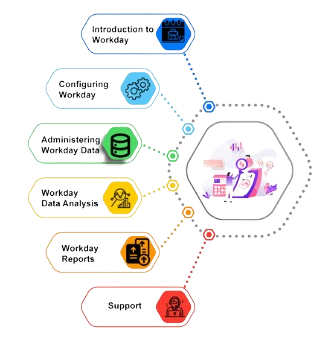
You must also understand how organizational hierarchies are built, because a worker’s placement in the company structure dictates who can see their data and who approves their requests. Mastering the creation and management of worker profiles gives you the foundation needed to learn any other advanced module later on. Staying consistent with worker profile practice ensures stronger confidence, and focusing on organizational hierarchy builds credibility. Over time, this mastery positions you as a fresher who can confidently manage enterprise-level Workday HCM tasks.

Business Processes and Workflows
- What is a Business Process: Almost every action in Workday is triggered by a business process. It is a visual workflow that defines the steps required to complete a task, such as hiring an employee or processing a leave of absence.
- Understanding Routing: Routing determines who needs to approve a task. You can configure the system to route approvals to a specific manager, a dynamic role, or a specialized HR department based on the situation.
- Adding Conditions: Workflows are rarely linear. You can add conditional logic so the process takes one path if the employee is in New York and a completely different path if they are in London.
- To-Do Tasks: Not all steps require an approval. Some steps are actionable to-do items assigned to a worker or an HR administrator to complete, How To Start Career in Workday As a Fresher , like entering bank details or reviewing a training module.
- Handling Errors and Exceptions: When something goes wrong in a workflow, it hits an exception step. As a fresher, learning how to troubleshoot stuck processes and reroute them is a highly valuable daily skill.
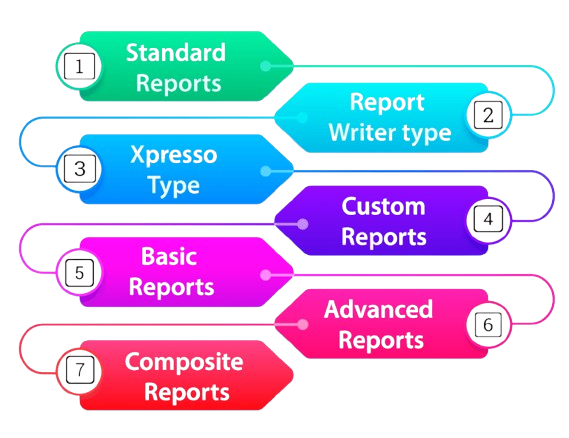
- Workday Report Writer: This is the primary tool used to pull data out of the system. It features a drag-and-drop interface that allows you to select fields and filters to create custom data tables without writing any SQL code.
- Custom Reports vs. Standard Reports: Workday comes with hundreds of pre-built standard reports. However, clients almost always want custom reports tailored to their unique business metrics, which is where you step in.
- Report Security: Just because you can build a report does not mean everyone should see it thats Why Workday professionals are high demand. You must apply security permissions to your reports to ensure sensitive data, like executive compensation, is only visible to authorized users.
- Using Run-Time Prompts: To make reports dynamic, you can add prompts. This forces the user to enter a value, like a department name or a date range, before the report runs, ensuring they only see relevant data.
- Calculated Fields: Sometimes the data you need does not exist in the system. You can create custom calculated fields using simple logic formulas, like calculating an employee’s exact age or years of service, and add them to your reports.
Excited to Obtaining Your Workday Certificate? View The Workday Training Offered By ACTE Right Now!
Security and Role-Based Access
Security in Workday is incredibly granular and completely different from simply giving someone a username and password. The system uses a concept called Role-Based Access Control, where permissions are bundled into specific roles, and those roles are assigned to users. What makes Workday unique is that you can restrict access all the way down to a single field on a specific screen. For example, you can configure a role that allows an HR manager to see a worker’s salary, but completely hides the salary field from the worker’s direct supervisor. This level of precision is crucial for complying with global data privacy laws. Workday Jobs For Freshers, you do not need to design complex security architectures right away, but you absolutely must understand how domain security policies work. Knowing how to assign a role to a user and troubleshoot why someone cannot see a specific button on their screen is a daily requirement for any junior consultant working on a live project. Staying proactive with security practice ensures stronger preparation, and focusing on role-based access builds credibility. Over time, this mastery transforms you from a fresher into a consultant who can confidently safeguard enterprise data.
Are You Considering Pursuing a Workday Master’s Degree? Enroll For Workday Expert Masters Program Training Course Today!
Reporting and Data Extraction
Want to Learn About Workday? Explore Our Workday Interview Questions and Answers Featuring the Most Frequently Asked Questions in Job Interviews.
Understanding Effective Dating
If there is one single feature that makes Workday stand out from every other HR system on the market, it is effective dating. In the real world, HR events do not always happen neatly in chronological order. An employee might get a promotion today, but HR might need to backdate that promotion to the first of the month to adjust their pay correctly. In older systems, backdating was a nightmare that corrupted databases. Workday Training handles this flawlessly by attaching a specific date to every single transaction. You can have multiple records for the same worker, each with a different effective date, and the system knows exactly which record is active today, which one is historical, and which one is scheduled for the future. As a fresher, mastering effective dating is non-negotiable. You will use it to process retroactive payroll changes, schedule future position openings, and audit historical employee data without ever breaking the integrity of the system. Staying consistent with effective dating practice ensures accuracy, and focusing on transaction timelines builds credibility. Over time, this mastery positions you as a fresher who can confidently manage enterprise-level Workday processes.
Conclusion
Mastering these foundational Workday HCM Basics transforms you from a complete beginner into a highly capable junior consultant ready for the enterprise world. You do not need to memorize every single button in the system to get hired. Instead, interviewers want to see that you deeply understand the unified data model, know how workflows function, and grasp the power of effective dating. Once you have these basics locked down, learning advanced modules like Recruiting, Payroll, or Benefits becomes incredibly easy because they all follow these exact same core rules in Workday Training. Do not rush the learning process or skip over the foundational theory just to get to the configuration steps. Building a solid understanding of why the system works the way it does will save you from making costly mistakes on live client projects. Take the time to practice navigating the interface, build a few custom reports, and get comfortable with the terminology. This strong foundation is the key that will unlock a long, highly lucrative career in the Workday ecosystem.